
I pulled my secondary (now only) Commodore 64 out of storage last week and found that some of the keys didn't work. So naturally, I started throwing spaghetti at the wall, trying everything suggested from the search results of "commodore 64 keyboard doesn't work":
- reflow the wires on the keyboard PCB interface
- clean all the keypad interfaces on the PCB
- re-tension the keyboard key springs
- "sand" down the keypad conductive rubber
- paint graphite powder onto the keys conductive rubber
Note, to get to the keyboard PCB, you have to desolder the capslock switch (the pins connect on the backside of the board), so (before I got smart) I was desoldering and resoldering the switch after each of those "fixes", thinking "surely this time, I've solved it".
After putting it all together and taking it apart more times than I'd like to admit, I got (the aforementioned) smart and started debugging:
- I tested continuity from the keyboard pads on the PCB to the cable interfaces (all good!)
- I tested the resistance of the rubber pads (all good!)
- I tested continuity of the cable itself (all good!)
That left the motherboard PCB as the only culprit, but that didn't make sense because none of the search results I had looked at said anything about the mobo.... OH NO! Do I have a bad chip somewhere???
Before I panicked, I made some notes; only some keys failed, and I already knew continuity from the keyboard through the cable was good. I looked up the keyboard matrix for the C64 keyboard:
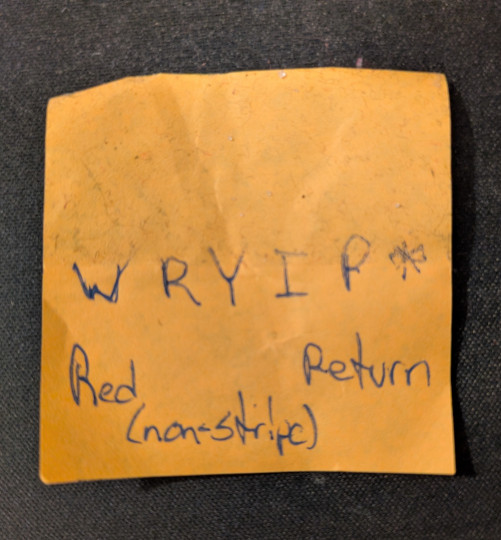
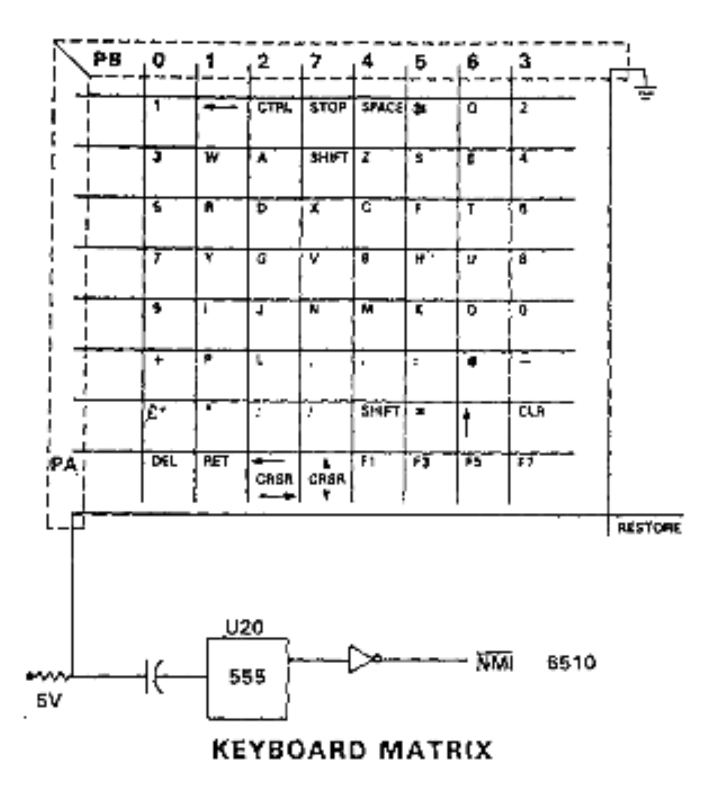
Ah, so these keys share a particular madness. Namely, they belong to a shared pin. After tracing the cable back I tested the specific cable again, moving it around while doing so, in case it had a weird crimp or something. My multimeter gave it continuity beeps the whole time, so now I was able to rule out the entire top "chonk" (the technical term, I'm sure) of the C64, which left me... back at the motherboard. I was now quite annoyed because I was not eager at all to remove the motherboard and test components.
Before resigning myself to this endeavor however, I decided to first test continuity from the header pins on the motherboard (where the keyboard cables connect) to various points on the board. Aaaaand, since I had already identified the problematic pin, I could start there. I picked a nearby via and touched the pin, and it wobbled. After a few more pokes and a few more wibbly-wobbles (also a technical term), the issue was clear; the header pin had come loose (cold-solder joint?) and was freely sliding in the post hole. A quick clean and re-solder with fresh material, and the wibbly-wobbles were gone. Unsurprisingly, this immediately resolved all issues and the keyboard was restored to full functionality.
It is here at the end of this tale where one might examine, with humbled reflection, the virtues of methodology vs blindly applying a hefty smattering of unvetted advices across the canvas of your problems. One might even develop some narrative tissue around a more profound societal observation, perhaps concerned with the modern baggages of humanity's unyielding addiction to its entirely manufactured concept of "progress", even at the cost of its own soul.
But I won't do that, because less than a week later, I was addressing a new issue with the same directionless, expectant lack of approach. Clearly, knowing the lesson isn't the same as internalizing it.
References (and other helpful links):
(Video) Commodore C64 keyboard - how to repair hard to press keys